
Guides / illustrated walkthrough
Jev Log Triage with Expanso Edge
Follow an Expanso Edge and Jev log-triage demo using synthetic events, from deterministic filtering and selective classification to notify, review, and outage-buffer paths.
Quick takeaway
The video frames its example as a production logging scenario, but the interface labels the records “Synthetic demo events” and the buckets “local demo files”; this is not live production telemetry. It shows Expanso shaping and filtering the stream, then adding Jev for selected context-dependent decisions while most events stay on deterministic paths. Results can go to notification or review, and the presenter demonstrates buffering during a Jev outage. Queue limits, delivery guarantees, and independent cost or accuracy benchmarks are not provided; verify them in your own deployment.
Video source
Expanso
Step-by-step walkthrough
- 1
Start with the raw log destination and its missing context
The presenter uses a standard production logging pipeline to explain the problem, but this screen labels the records “Synthetic demo events” and the destination “local demo files.” It is not connected to live production logs. The example illustrates how structured records can lack diagnostic context and how moving every line can add cost; it is not evidence that every raw bucket is wasteful. Decide which fields, aggregates, and retention periods your own team needs.
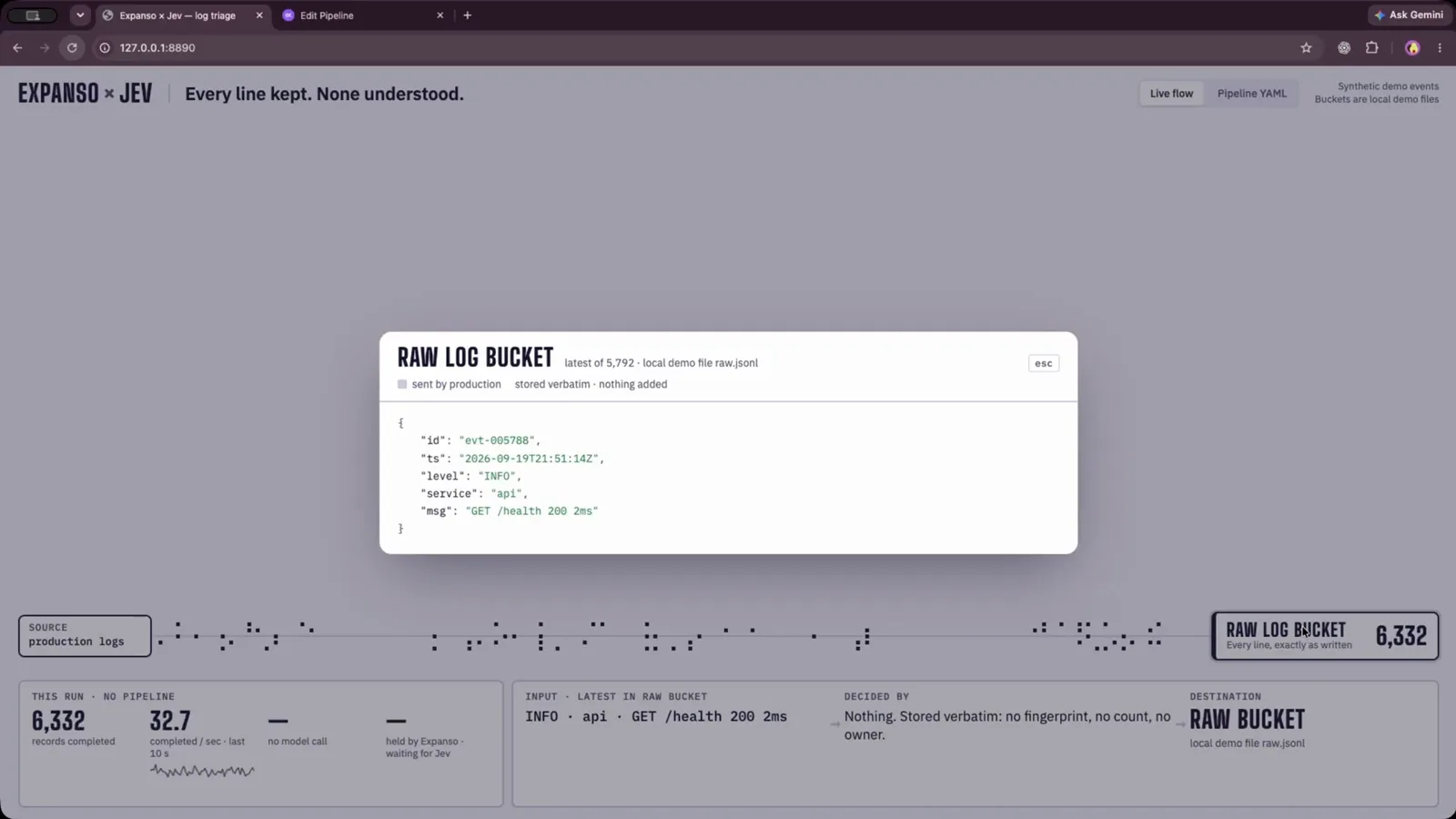
The demo uses synthetic events and a local raw-log file.Watch at 0:32 - 2
Prepare the baseline Expanso Edge pipeline before adding Jev
The presenter opens the `Edit Pipeline: log-triage` form while preparing the baseline flow for deployment. This frame shows the pipeline name, description, and configuration sections; it is not a deployment-health screen. The video later reports the deployment running, but verify runtime status and output separately in your own environment before adding an external model dependency.
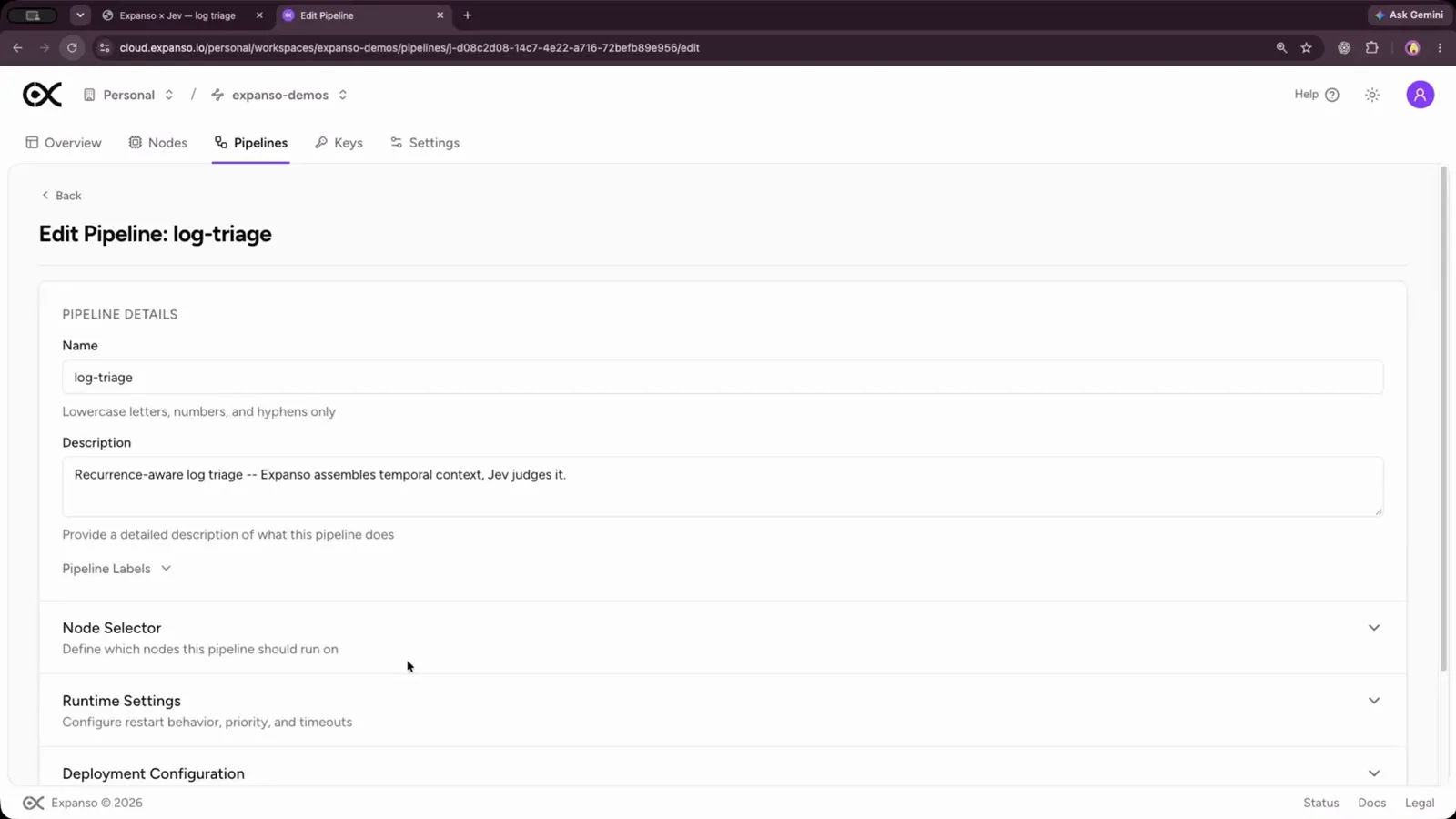
This frame shows pipeline settings, not deployment health.Watch at 1:04 - 3
Keep routine log shaping on a deterministic path
The Pipeline YAML view has `pipeline-logging.yaml` selected. Its visible configuration normalizes values against closed sets, fingerprints and counts events, and archives routine records; the screen itself says “No model needed.” It also identifies the YAML as checked-in source configuration, not a file read back from Expanso Cloud. Treat this as the deterministic baseline; the presenter adds Jev for selected decisions later in the walkthrough.
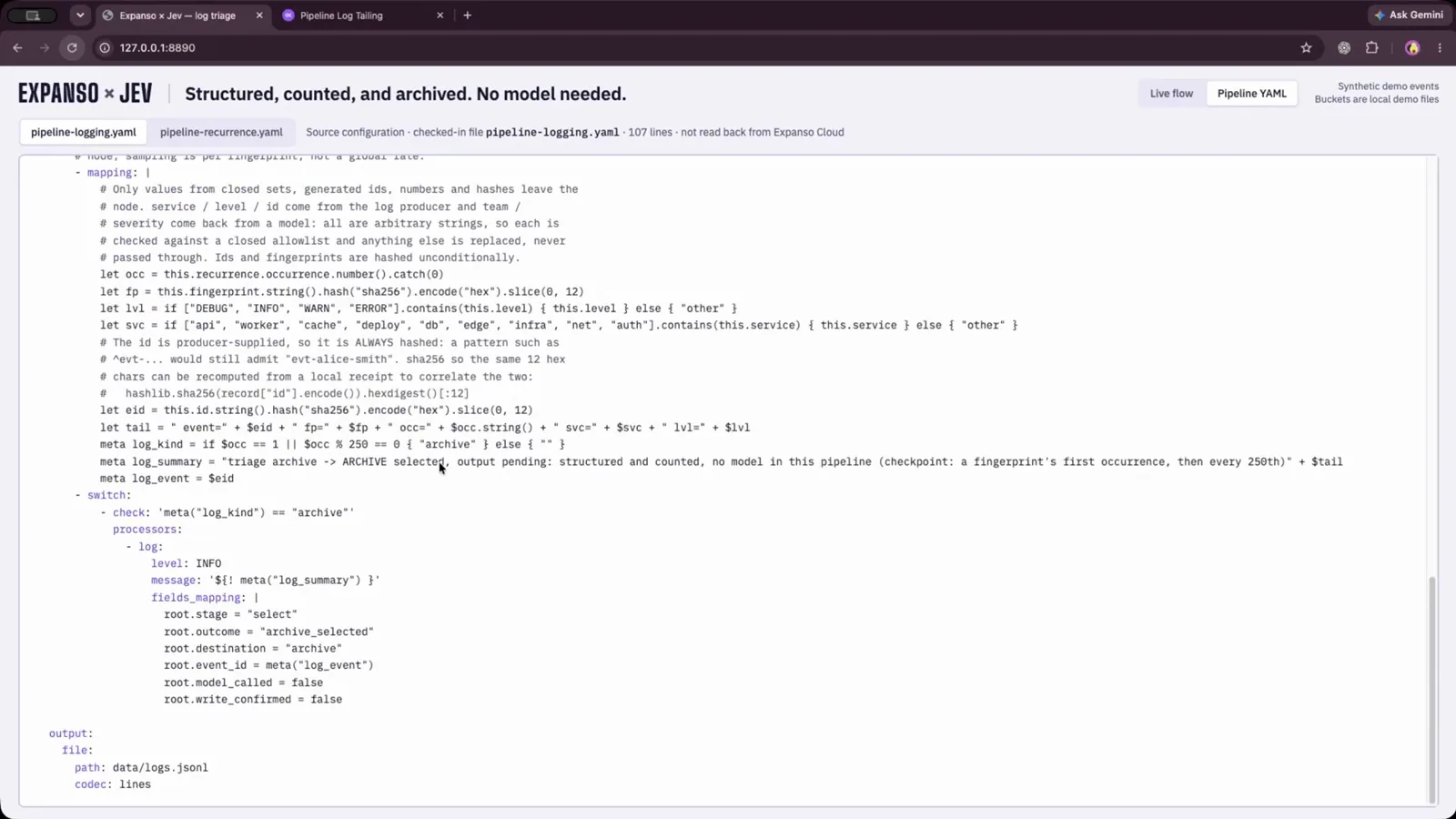
The checked-in baseline YAML shapes and archives logs without a model call.Watch at 2:34 - 4
Route high-signal decisions to notification or human review
This live-flow screen still uses synthetic demo events and local demo files, not production records or outcomes. It shows Jev adding likelihood information to selected decisions, with notification and review paths for events that may need attention. Expanso still owns deterministic gates and destinations, and the video does not define universal probability thresholds. Set thresholds from labeled examples, preserve an ambiguous or low-confidence path, and test actions before enabling paging.
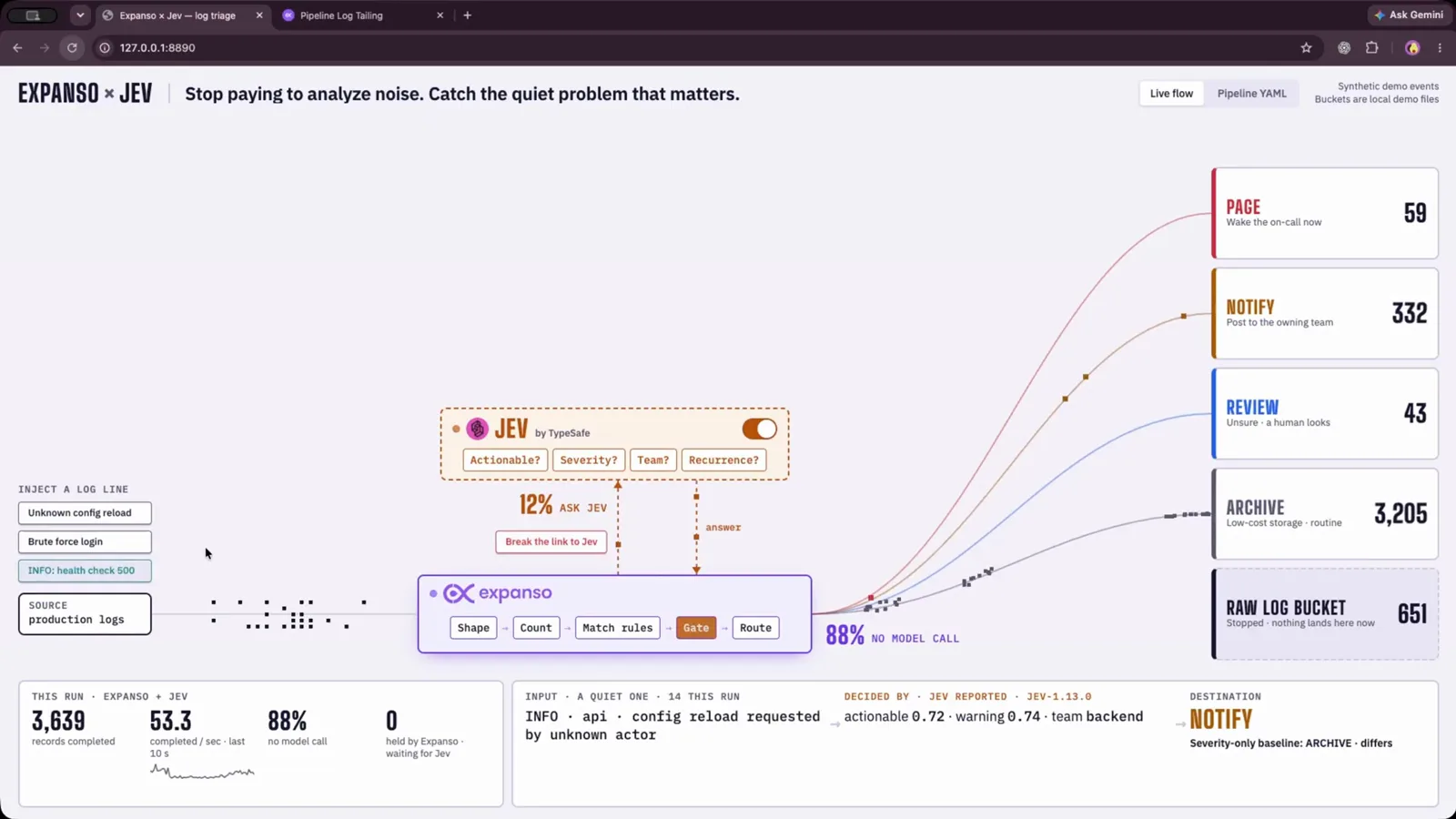
Synthetic events illustrate notification and review branches.Watch at 3:34 - 5
Buffer work when the Jev connection is interrupted
The review screen is part of the same synthetic-event demo and shows a local `review.jsonl` file. The presenter demonstrates breaking the Jev connection, holding pending decisions in Expanso’s buffer, and draining them after connectivity returns. This is a resilience pattern, not a delivery guarantee for every deployment. Before production, confirm queue capacity, retention, replay ordering, duplicate handling, and buffer-full behavior against Expanso documentation and a failure-injection test.
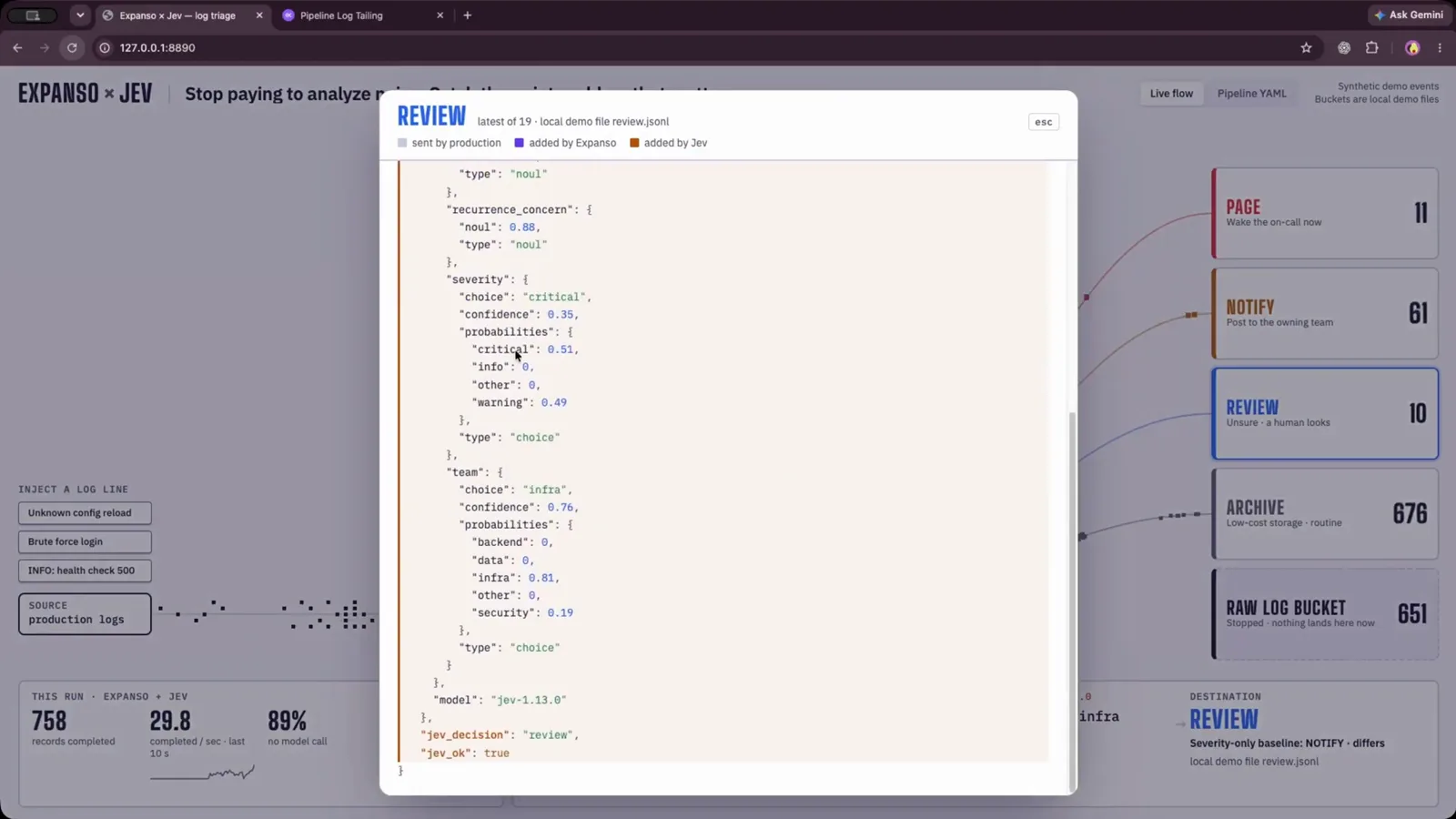
Test outage recovery with your own queue and replay policy.Watch at 4:44
Frequently asked questions
Does Jev classify every event in this log-triage demo?
No. The synthetic events mostly stay on deterministic Expanso paths; only selected records go through Jev. Filtering before inference keeps the model focused on decisions that need context.
What does Jev add to log triage?
It provides typed classification decisions and probabilities for selected unstructured events. Expanso still handles the pipeline, deterministic gates, and destinations such as notification or review.
What happens if the Jev connection goes down?
The video demonstrates Expanso buffering pending decisions and draining them after the connection is restored. It does not specify queue capacity or delivery guarantees; check your deployed configuration and test recovery behavior.
Does this video provide a production benchmark or alert threshold?
No. It is a workflow demonstration, not an independently measured latency, cost, or accuracy benchmark. Choose alert thresholds from your own labeled events and monitor false positives, misses, and queue behavior.
Related guides
Jev Model: Choice, Score, and Noul
Choose a typed output for event categories, severity scores, or yes/no gates.
ReadJev API Examples: curl, Python, and JavaScript
Inspect request payloads and read the typed answers returned by Jev.
ReadJev API Errors and Rate Limits
Plan retries and diagnose upstream errors without inventing undocumented limits.
ReadJev Lead Enrichment with Treg
See another selective classification workflow, this time for lead enrichment.
ReadUse Jev Decision Nodes in Heym
Follow a Heym language-check workflow and inspect runtime model routing.
ReadMore video walkthroughs
- Jev Classification Quickstart: OpenRouter API, Primitives & Real Probabilities
- Jev Architecture Explained: Why 70ms Decision Models Beat LLMs for Workflow Automation
- Ultra-Fast Browser Agents with Jev: 178ms DOM Loops & Dual Model Orchestration
- Open Jev Models Are Here: Semif, Nimble, Decider, DiffusionGemma & Laya Hands-On
- Jev vs LLM: Will Jev Replace LLMs? Krish Naik's Whiteboard Explainer
- Jev Trader Tutorial: Build a Subsecond AI Trading Bot on Monad
- Jev Model Router: Build a Privacy-Gated LLM Router with Jev & OpenJev
- Jev Tutorial for Beginners: State, Questions & the TypeScript SDK
- Run Jev Locally: Kev, SemIf & Von on Your Own GPU (OpenJev Guide)
- Jev RAG Reranker: Policy-Steered Reranking for Retrieval-Augmented Generation
- When to Use Jev: An Engineer's Audit of Claims, Gates, and Failure Modes
- LangChain + Jev Integration Tutorial: Routing, Guardrails & Evals
- Jev MCP Server: Connect Jev Decisions to Claude Code & Cursor
- Jev vs Luna: Independent Benchmarks Put "Better, Faster, Cheaper" to the Test
- Jev Agent Harness: Where the Decision Gate Sits in Your LLM Loop
- Jev Playground Walkthrough: The Hotdog Lesson, Criteria, and a Four-Console Token Test
- Jev Text Classification API: Zero-Shot CLI & REST with classifier.dev
- Jev API Examples: First Request, curl & All Three Question Types
- Jev Lead Enrichment with Treg: ICP and Signup Scoring
- Use Jev Decision Nodes in Heym for Model Routing