
Guides / illustrated walkthrough
TypeSafe Computer Use: Local Desktop Automation with Jev, Step by Step
A sketch-by-sketch guide to Alex Hitt’s 6-minute walkthrough of the typesafe-computer-use repo: Vision OCR plus AX tree parsing on-device, Jev classifying the next action for $0.0002 a step, dual API keys, --act dry runs, and hardware-level emergency stops.
Quick takeaway
Alex Hitt’s 6-minute whiteboard walkthrough builds the case for the typesafe-computer-use repository: autonomous desktop control used to mean shipping multi-megabyte screenshots to a large multimodal model — more than 5 seconds and up to 32 cents per click. The repo flips the architecture: the desktop state is analyzed locally (Apple Vision OCR plus the accessibility tree on macOS 14+, Python 3.12+, installed with uv), compiled into a hard list of candidate actions with coordinates, and Jev is queried for pure classification of the next action — a decision that costs $0.0002 and completes in under a second. Setup has rules. The dual API configuration separates concerns: your TypeSafe API key handles structural logic and action selection, while the Anthropic key is used solely for text generation such as filling in search fields — and every free-text entry is immediately verified by a Jev boolean proposition, with the action reversed and the field cleared if validation fails, which is what prevents the model from choosing coordinates or elements that do not exist in the local state. macOS automation permissions must be granted explicitly or synthetic clicks are quietly dismissed, and the terminal-cleaning mandate is real: the agent OCRs your whole screen, so leftover automation logs become clickable targets and trap it in a recursive loop. Run the clicker diagnostic first (it prints the intended action sequence without sending hardware events), then add --act to move from read-only planning to execution — and relinquish the mouse, because fighting the agent corrupts its coordinate mapping. Two emergency stops exist: Ctrl-C if the terminal keeps focus, or shoving the physical mouse to the upper-left corner, which breaches a monitored coordinate boundary and terminates the thread instantly. Every run writes a flight-data-recorder folder — JSON states, screen bitmaps, per-phase timings — so you debug from annotated bounding-box screenshots without spending API credits. Known edges: two identical on-screen labels split Jev’s probability (0.4/0.4 against a 0.5 safety threshold) and the loop auto-stops, the agent is stateless between runs, and instructions like “click the submit button in the upper-right corner” beat “click submit” every time.
Video source
Alex Hitt
Step-by-step walkthrough
- 1
The old economics: 5-second screenshots at 32 cents a click
Autonomous desktop control has been the most expensive way to use a computer: the agent screenshots the whole display (several megabytes), uploads it to a large multimodal model, and waits for generated reasoning — more than 5 seconds and up to 32 cents for a single click. The video’s balance-scale frame makes the contrast concrete before any code appears: raw screenshots on the heavy side of the scale, a sub-second local state on the other.
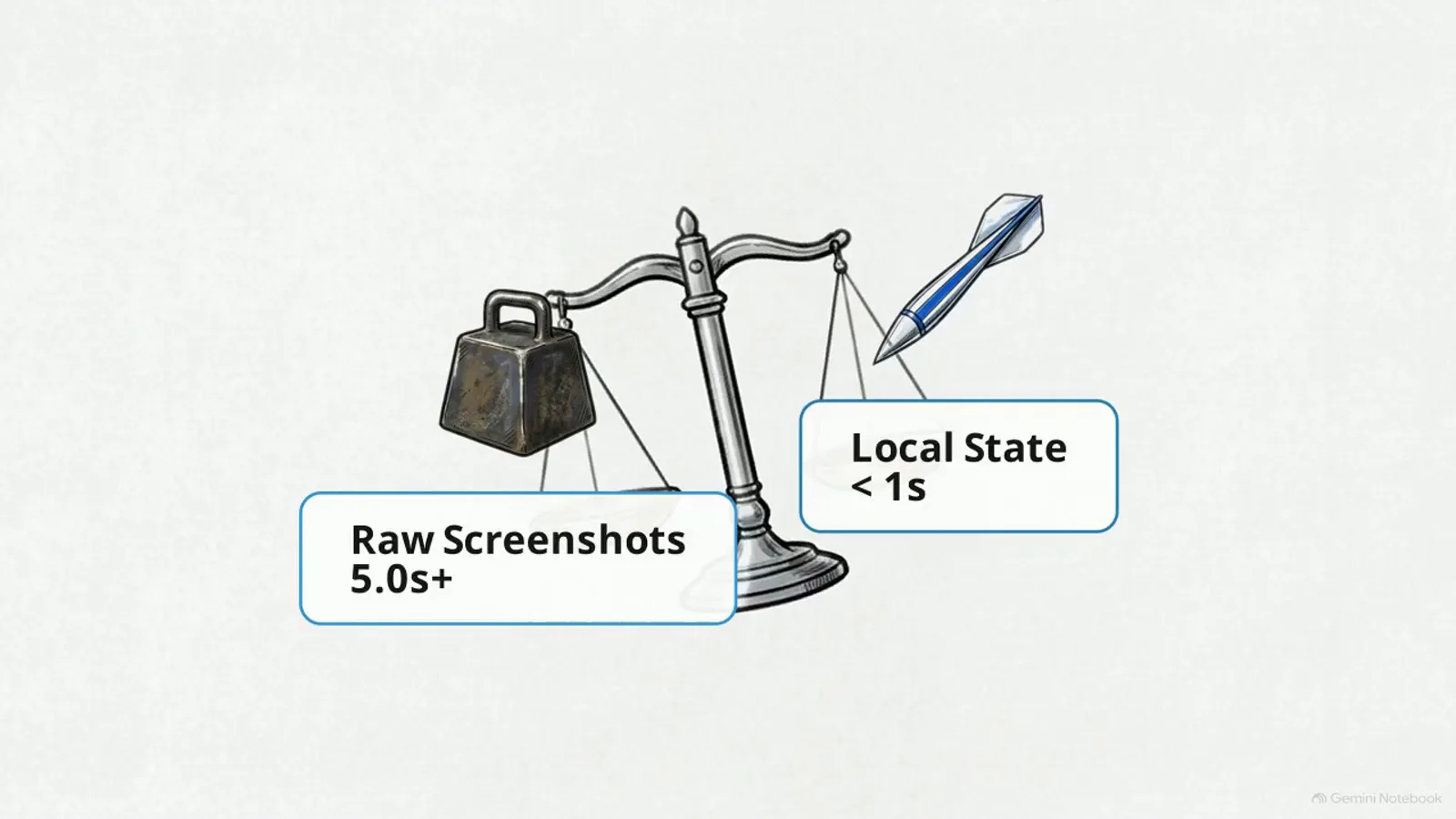
Shipping pixels to a reasoning model is the slow, expensive side of the scale.Watch at 0:32 - 2
The new economics: $0.0002 per decision, under a second
typesafe-computer-use abandons deliberative thought chains for a System One decision model. The desktop state is analyzed on your machine, a candidate list is compiled locally, and Jev answers a pure classification question about the next action. The headline numbers: execution cost drops to fractions of a cent — $0.0002 per step — and decision latency falls under one second, moving desktop automation out of research-demo territory into per-step pricing you can actually run a loop on.
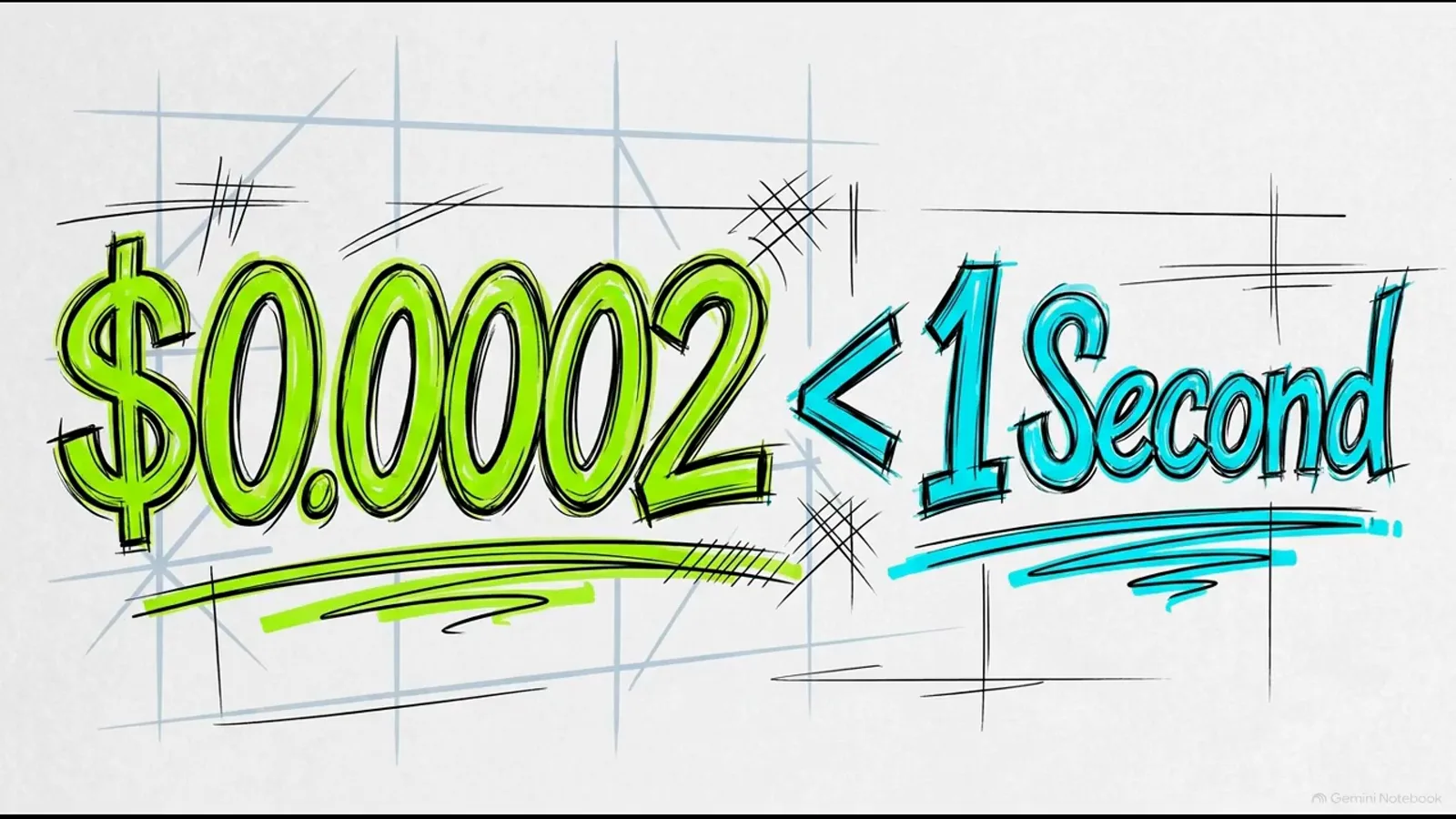
One classification per step — the price of a click falls four orders of magnitude.Watch at 0:48 - 3
The perception stack: Native OCR, Jev classification, AX tree parsing
Instead of sending raw pixel data anywhere, the framework reads the screen locally: Apple Vision OCR (the reason for the macOS 14+ requirement), the accessibility tree parser, and CoreGraphics — wired together with the TypeSafe SDK and Python 3.12+ via uv. Jev’s role in the stack is exactly one box: classify the next action from the parsed local state. No pixels leave the machine for the decision itself.
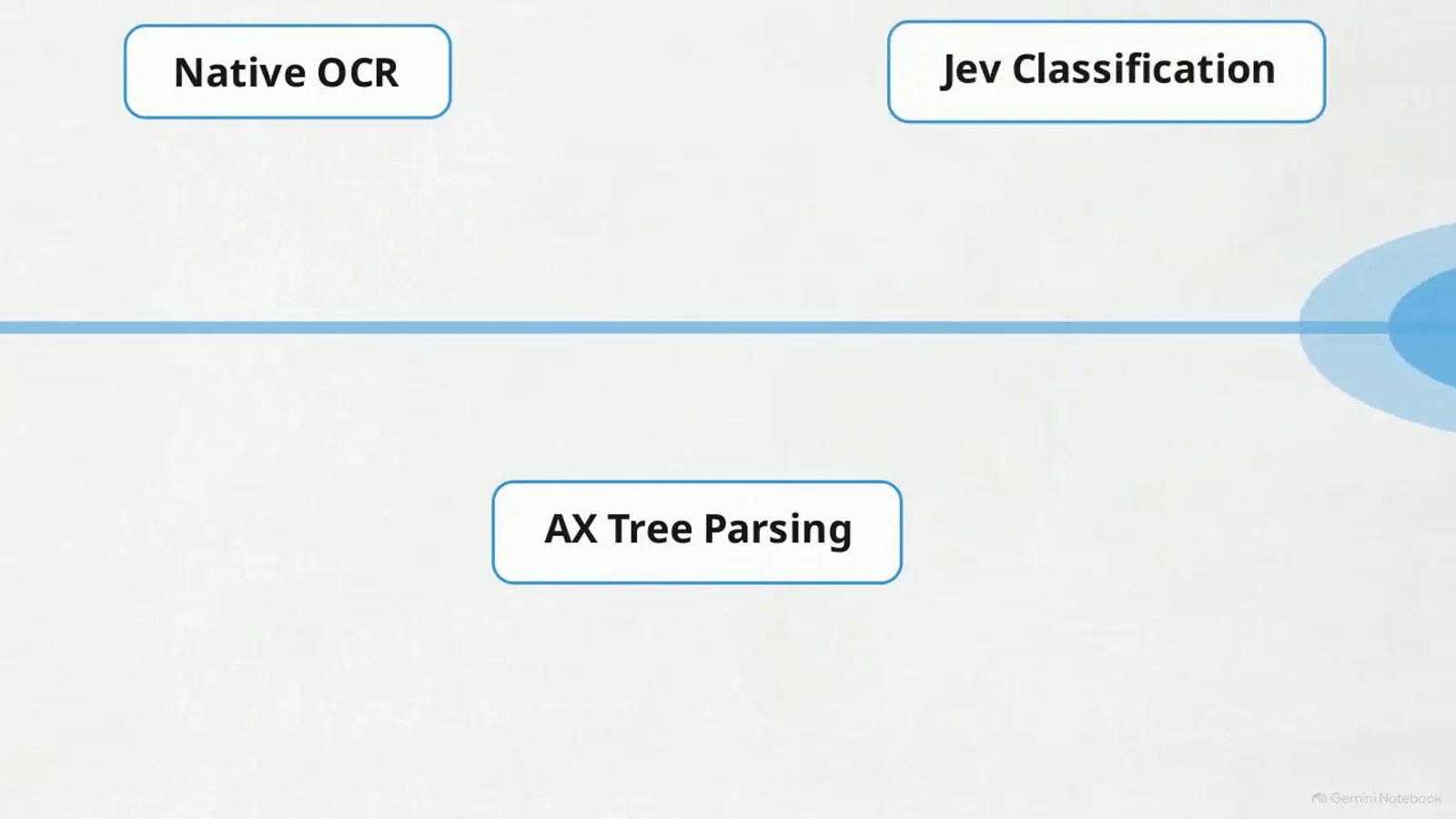
Perception is local; only the classification question travels to Jev.Watch at 0:42 - 4
The candidate list: coordinates and targets, compiled up front
The local analysis produces a hard list of candidate actions — an explicit table of X/Y coordinates mapped to named targets like Form Field 1, Button A, Dropdown C — alongside the parsed UI. That structural constraint is the safety rail: the model cannot choose coordinates or select interface elements that do not exist in the local state, because its choices are constrained to the compiled list rather than invented from a screenshot.
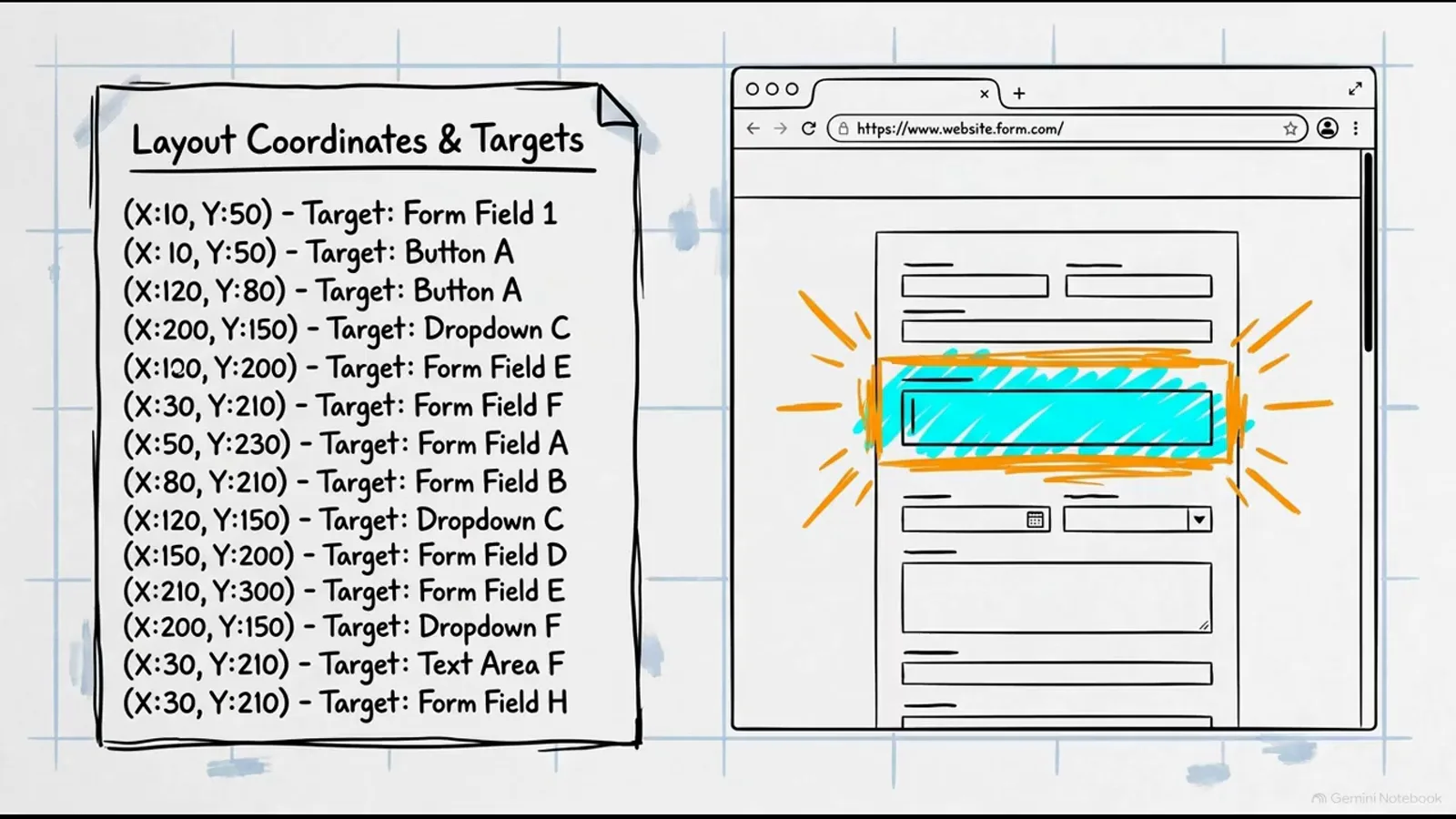
The agent picks from a compiled menu of real targets — hallucinated coordinates are structurally impossible.Watch at 2:02 - 5
System hygiene: clear your terminal before every run
The video’s non-obvious operational rule. The agent captures the visual state of your entire screen — so if old automation logs are still sitting in the terminal, the OCR engine detects the agent’s own previous output as clickable UI, and the agent gets stuck trying to interact with its own history. The mandate: physically clear the active terminal window before starting any execution. The SYSTEM HYGIENE frame is the reminder worth pinning next to your runbook.
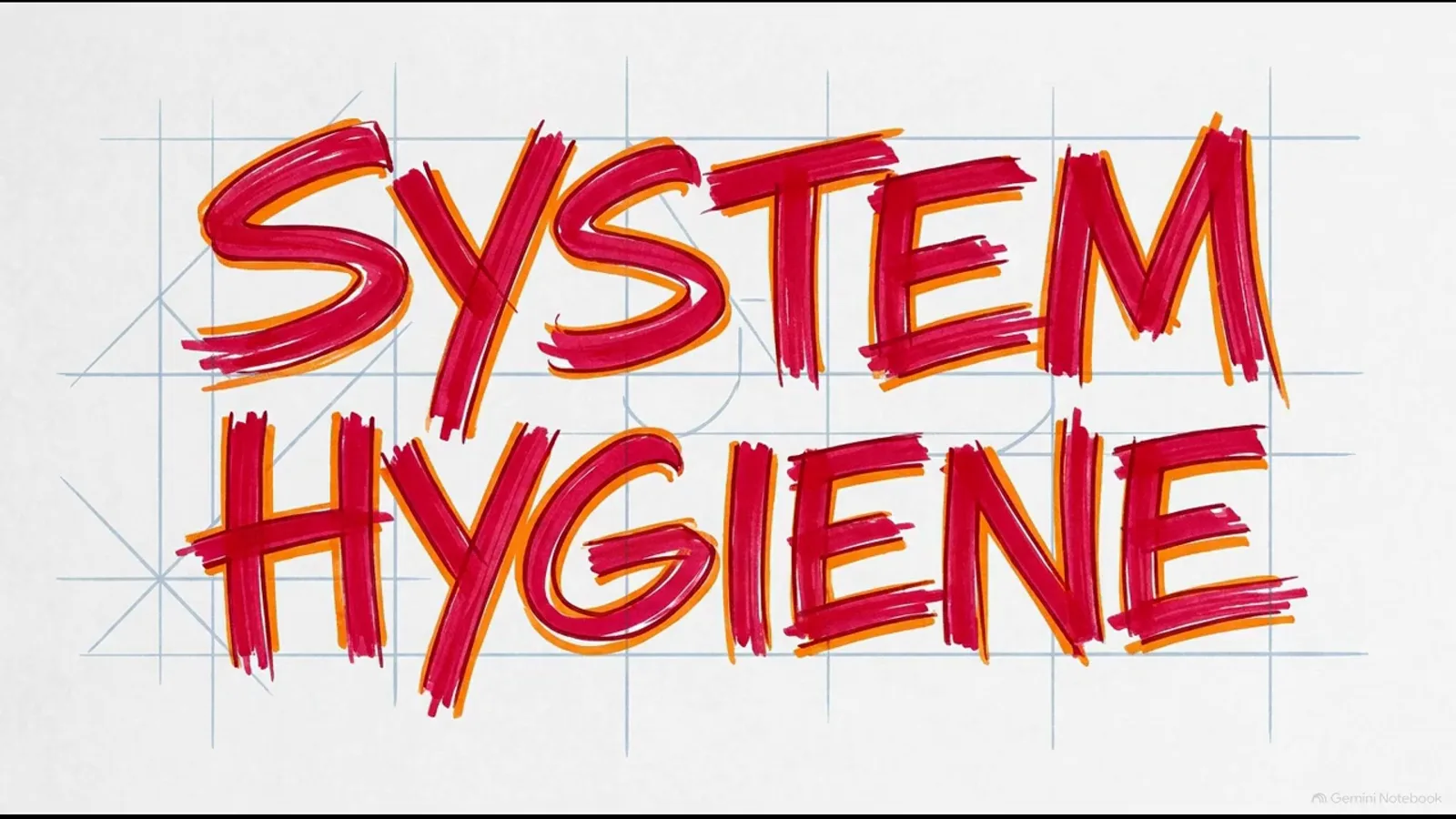
Your agent reads the whole screen — yesterday’s logs are today’s phantom buttons.Watch at 2:45 - 6
Dry-run first, then --act for real execution
Verification comes before autonomy. Running the clicker command with a natural-language target prints the intended sequence of actions without sending hardware events — a read-only diagnostic that shows exactly what the agent plans to do. Only when the plan looks right do you add the --act flag, which moves the script from planning to execution. From that moment you relinquish physical control: moving the mouse or typing mid-loop creates focus conflicts that corrupt the coordinate mapping and derail the run.
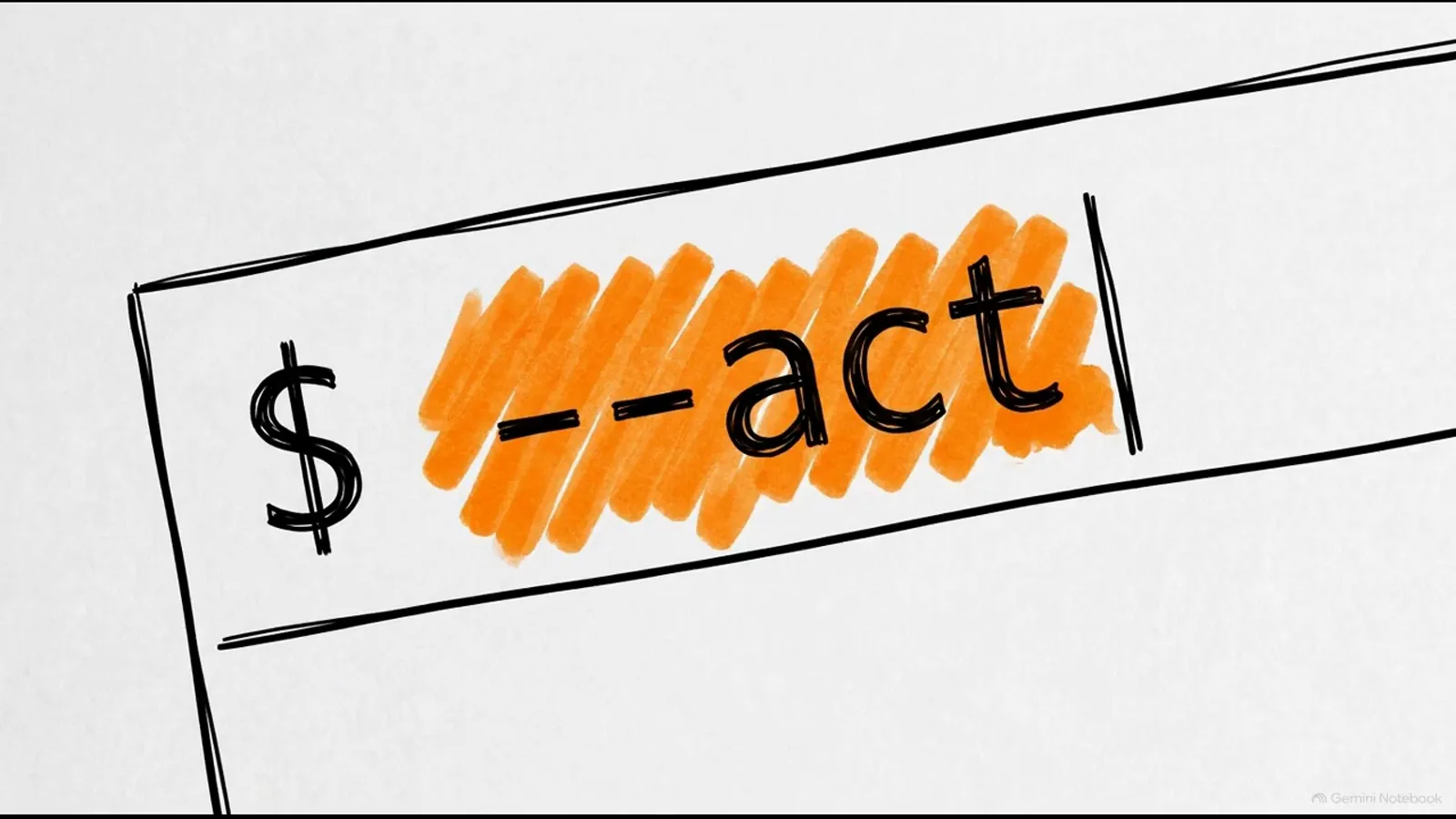
Print the plan first; add --act only when the sequence reads correctly.Watch at 3:38 - 7
Two emergency stops: Ctrl-C and the upper-left corner
Delegating an operating system to an agent is only viable if you can take control back instantly. If your terminal retains focus, a standard Ctrl-C interrupt safely stops the Python loop. If focus is elsewhere, push the physical mouse firmly toward the upper-left corner of the screen — the framework continuously monitors coordinate boundaries and terminates the execution thread the moment the cursor breaches them. Anchoring the kill switch to a physical gesture means software errors cannot block your override.
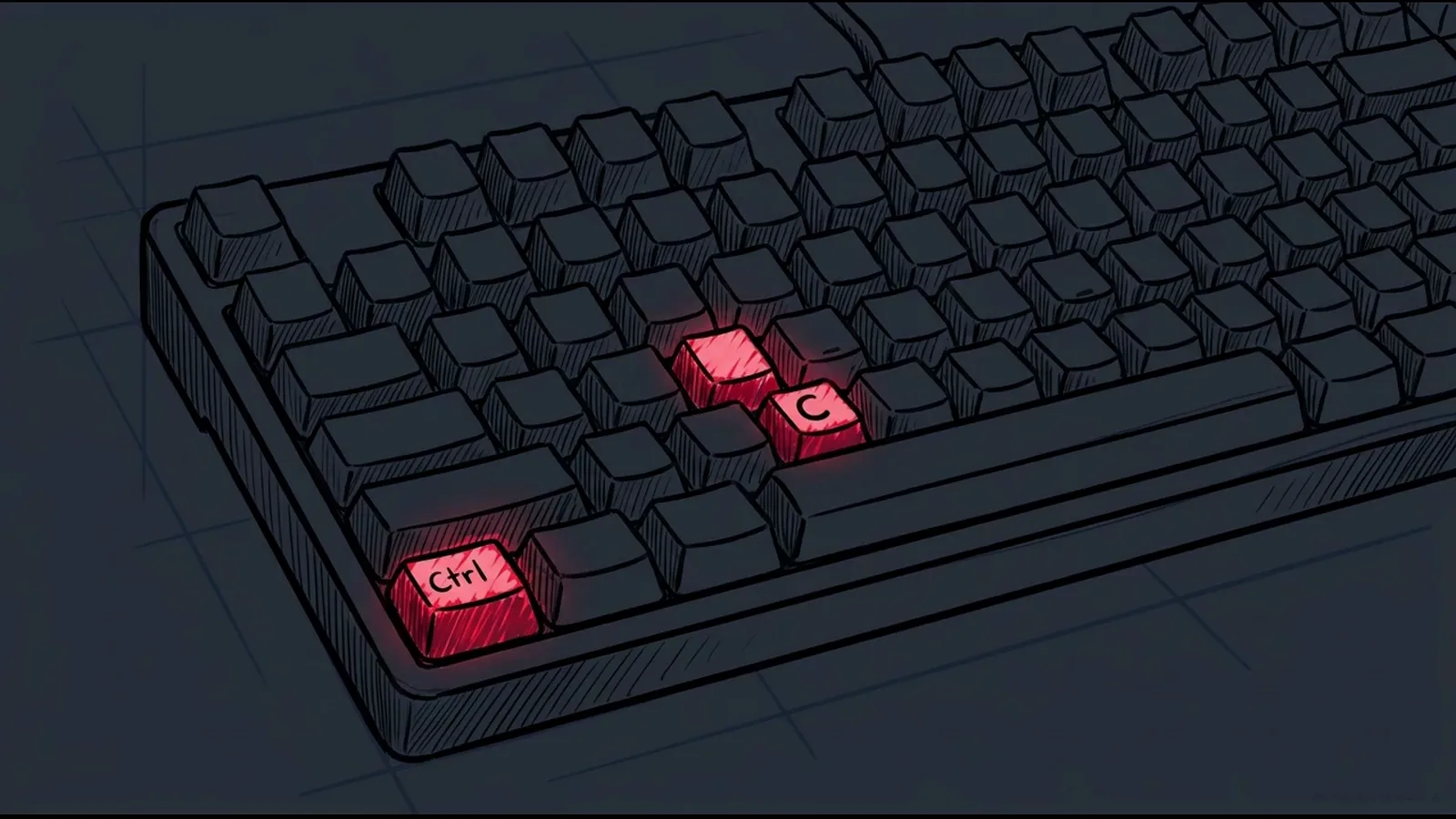
Ctrl-C for the terminal, the corner shove for everything else — both stop the loop instantly.Watch at 4:28 - 8
Debug from the flight recorder, not the API
Analysis failures in borderline cases are inevitable, so every run writes a timestamped local folder: JSON states, screen bitmaps, and per-phase time metrics. Developers review screenshots annotated with numeric bounding boxes to confirm which elements Vision OCR and the accessibility tree actually detected — the AX Node highlight in the video — replaying failures offline without consuming a single API credit.
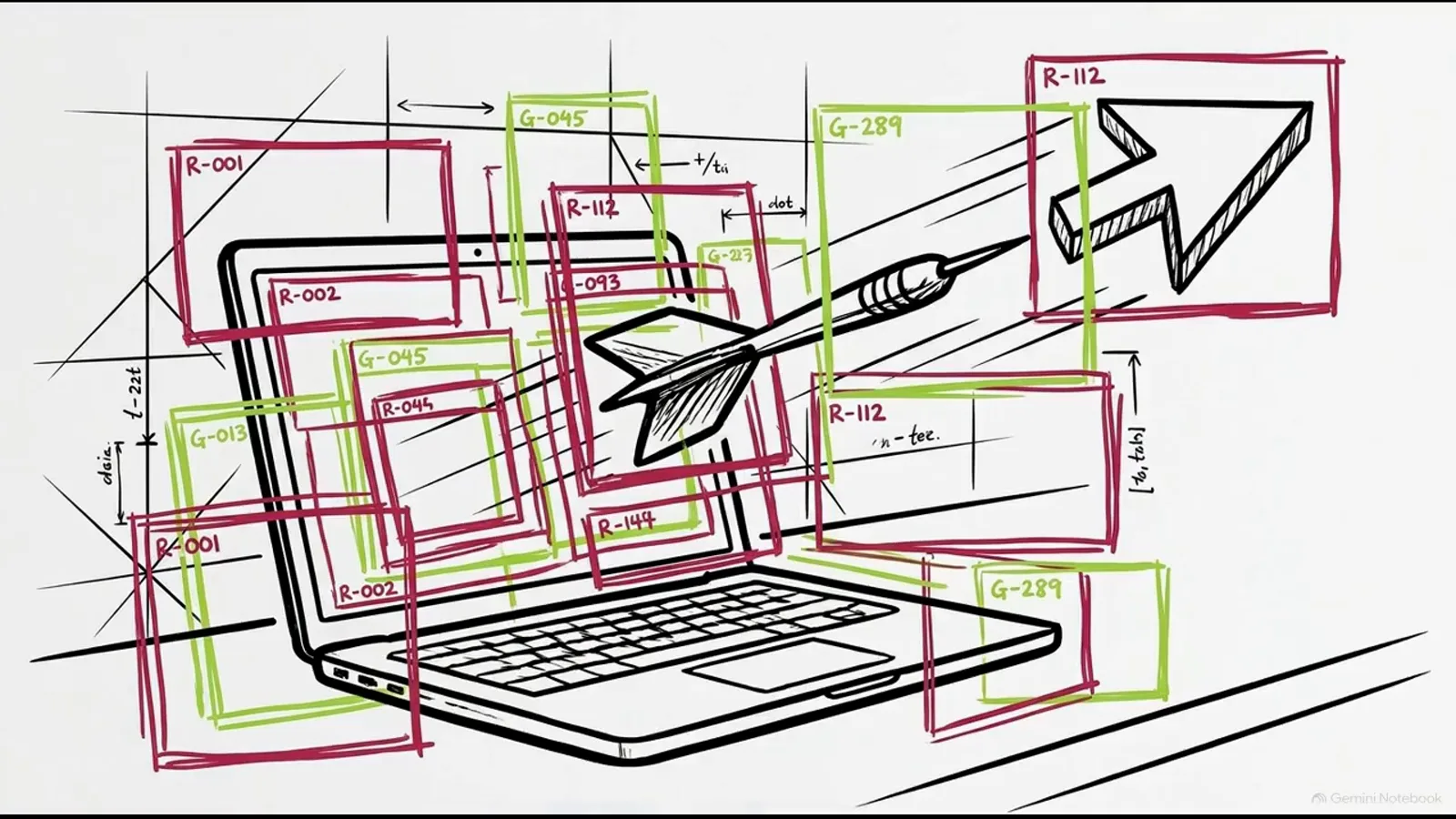
Every run records what the perception layer saw — failures become replayable, not mysterious.Watch at 5:02 - 9
Probabilistic collisions stop the loop for you
When an interface presents two identical labels, Jev evaluates both valid options and splits the probability evenly — 0.4 and 0.4 in the video’s example, under the 0.5 safety threshold. The vote ties, confidence collapses, and the loop automatically stops rather than guessing. The fix is on you: write highly explicit natural-language targets (“click the submit button in the upper-right corner”, never just “click submit”), remember the agent is stateless between runs, and give every run deterministic rules, strict probability limits, and extreme environmental clarity.
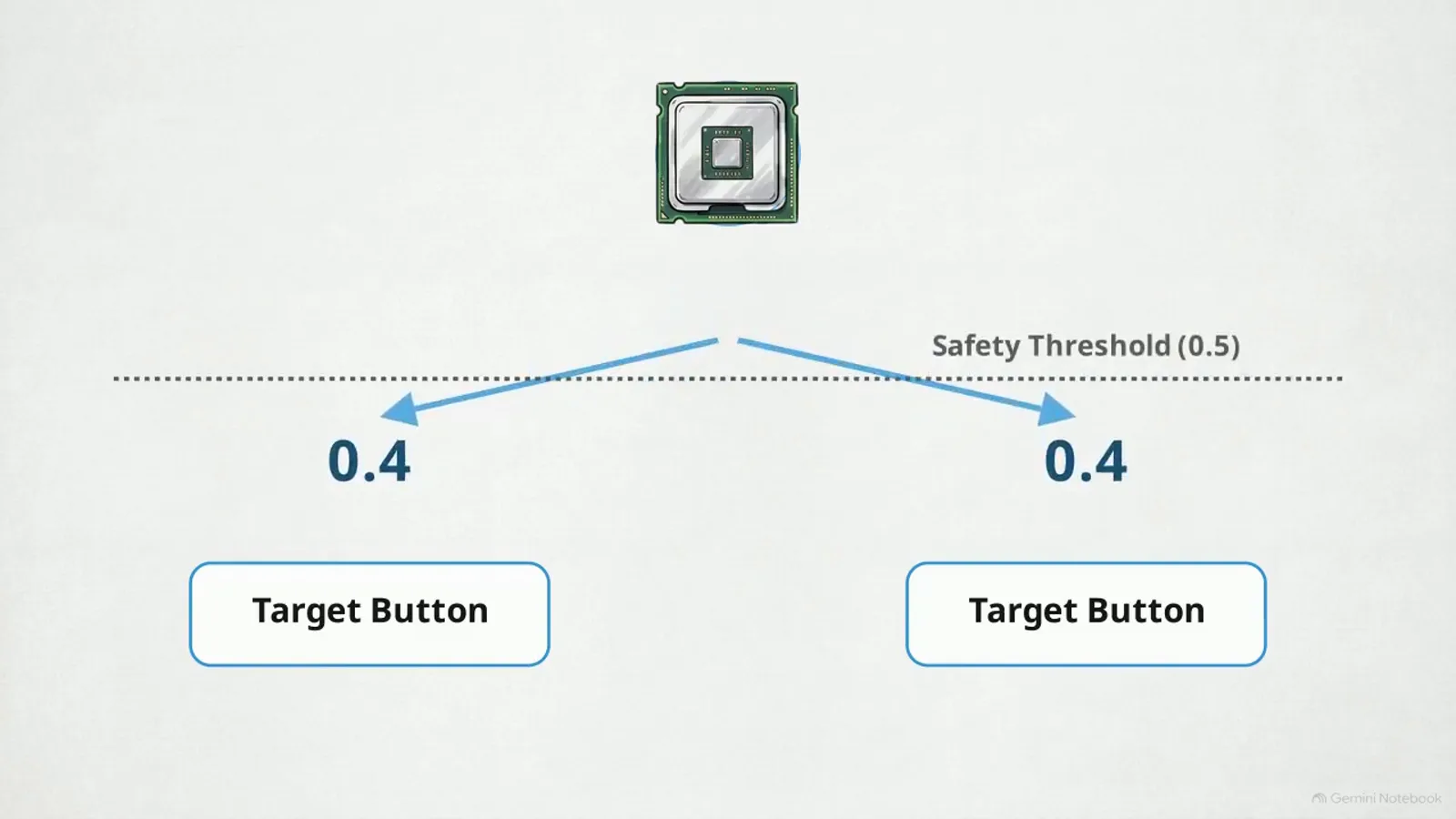
A 0.4/0.4 tie against a 0.5 threshold halts the run — ambiguity is a stop sign, not a coin flip.Watch at 5:30
Frequently asked questions
What is typesafe-computer-use?
An open repository for local desktop automation built on TypeSafe’s Jev. Instead of sending multi-megabyte screenshots to a multimodal model, it parses the screen locally with Apple Vision OCR and the accessibility tree, compiles a hard list of candidate actions with coordinates, and asks Jev to classify the next action — about $0.0002 and under one second per decision.
What are the system requirements?
macOS 14 or later (for Apple Vision OCR), Python 3.12 or later, and the uv package manager to install dependencies. You also need to grant macOS automation/accessibility permissions explicitly — without them, the system’s synthetic clicks are quietly dismissed and nothing appears to happen.
Why does it need both a TypeSafe API key and an Anthropic key?
The dual API configuration separates structural logic from language: the TypeSafe key powers Jev’s action selection and verification, while the Anthropic key is used solely for text generation such as filling in search fields. Every free-text entry is verified by a Jev boolean proposition afterward — if validation fails, the action is reversed and the field cleared.
Why does my computer-use agent click on its own logs?
The agent OCRs your entire screen, so leftover automation output in a terminal window is detected as clickable interface text — the recursive-loop failure the video demonstrates. The fix is the terminal-cleaning mandate: clear the active terminal before starting any execution run.
How do I stop the agent in an emergency?
Two ways. If the terminal window keeps focus, Ctrl-C interrupts the Python loop safely. Otherwise, push the physical mouse firmly toward the upper-left corner of the screen — the framework watches coordinate boundaries and terminates the execution thread immediately on the breach. The hardware-anchored stop works even when the software is misbehaving.
How is this different from a browser agent?
Scope and layer. A browser agent automates one application over the network; computer use parses the operating system’s full visual state and synthesizes real clicks and keystrokes. The trade-offs match: OS-level reach comes with permissions, hygiene, focus, and safety-threshold rules that browser agents never face.
Related guides
Jev Browser Agent Guide
The browser-scoped sibling: speeding up web agents with Jev decision points instead of full-page model calls.
ReadJev MCP Server Guide
Give coding agents typed decision tools over the Model Context Protocol — the keyboard-and-terminal side of agent control.
ReadWhat Is Jev? System One Models Explained
Why a non-generative classifier is the right engine for per-step UI decisions.
ReadMore video walkthroughs
- Jev Classification Quickstart: OpenRouter API, Primitives & Real Probabilities
- Jev Architecture Explained: Why 70ms Decision Models Beat LLMs for Workflow Automation
- Ultra-Fast Browser Agents with Jev: 178ms DOM Loops & Dual Model Orchestration
- Open Jev Models Are Here: Semif, Nimble, Decider, DiffusionGemma & Laya Hands-On
- Jev vs LLM: Will Jev Replace LLMs? Krish Naik's Whiteboard Explainer
- Jev Trader Tutorial: Build a Subsecond AI Trading Bot on Monad
- Jev Model Router: Build a Privacy-Gated LLM Router with Jev & OpenJev
- Jev Tutorial for Beginners: State, Questions & the TypeScript SDK
- Run Jev Locally: Kev, SemIf & Von on Your Own GPU (OpenJev Guide)
- Jev RAG Reranker: Policy-Steered Reranking for Retrieval-Augmented Generation
- When to Use Jev: An Engineer's Audit of Claims, Gates, and Failure Modes
- LangChain + Jev Integration Tutorial: Routing, Guardrails & Evals
- Jev MCP Server: Connect Jev Decisions to Claude Code & Cursor
- Jev vs Luna: Independent Benchmarks Put "Better, Faster, Cheaper" to the Test
- Jev Agent Harness: Where the Decision Gate Sits in Your LLM Loop
- Jev Playground Walkthrough: The Hotdog Lesson, Criteria, and a Four-Console Token Test
- Jev Text Classification API: Zero-Shot CLI & REST with classifier.dev
- Jev API Examples: First Request, curl & All Three Question Types
- Jev Log Triage with Expanso Edge
- Jev Lead Enrichment with Treg: ICP and Signup Scoring
- Use Jev Decision Nodes in Heym for Model Routing
- Laya Tutorial: Open-Source AI Routing With Calibrated Probabilities (Laya vs Jev Setup)
- Train Your Own Jev: Fine-Tune a Jev-Style Decision Model for $5–$17 (What You Can and Cannot Train)
- Jev Tips: 8 Best Practices for Better Decisions (State, Questions, Criteria & Thresholds)
- Jev Context Compaction: Prune AI Agent Memory Without Generative Summaries
- Jev as an LLM Judge: Confidence-Gated Cascades at 0.36% of the Cost