
Guides / illustrated walkthrough
CUA-S1-Forms: a 706K-Parameter Jev-Like Model That Fills GUI Forms on Your CPU
A step-by-step walkthrough of Fahd Mirza’s 8:52 install: load the byte-level 2.8MB scorer, watch it pick the right phone number at 1.000 confidence, run it CPU-only with 9MiB of GPU memory, and drive a real Firefox patient form through the CUA driver.
Quick takeaway
CUA-S1-Forms does one job: given a form element and the values extracted from your document, it picks fill, check, click, or skip in a single forward pass — the decision layer of a form-filling pipeline, not an LLM reasoning over every field. The numbers on its Hugging Face card: 706,000 parameters, 2.8MB, 99.7% accuracy on real-world form-filling decisions against about 83.6% for the GPT API. Inside is a tiny byte-level transformer — two layers, 128 wide, four attention heads, reading raw bytes with no tokenizer — and Fahd Mirza’s Ubuntu run proves the size honestly: with CUDA available, the model trained on Qwen 2.5 0.5B never touched the GPU, holding nvitop at 9MiB and 0% utilization while it worked. The demo’s best moment is semantic disambiguation: given a patient form with both a regular phone number and an intentionally similar emergency contact number, it fills the emergency contact at 1.000 confidence because it reads the field name, not just value shapes. The second half connects it to a real GUI: the open-source CUA driver reads the accessibility tree, lists windows by PID and window ID, and types a phone number into a live Firefox patient registration form — one decision model, one driver, no vision model in sight.
Video source
Fahd Mirza
Step-by-step walkthrough
- 1
Meet the model: a byte-level option scorer, not a form-filling LLM
The Hugging Face card describes CUA-S1-Forms as "a small, byte-level System One one-pass option scorer for GUI form filling." Instead of an LLM reasoning field by field, the model receives the form element plus the list of values extracted from your document and returns one action — fill, check, click, or skip — with a probability per option, in a single pass. The card’s own tests put it at 99.7% accuracy on real-world form-filling decisions, compared with about 83.6% for the GPT API, at 706K parameters and 2.8MB.
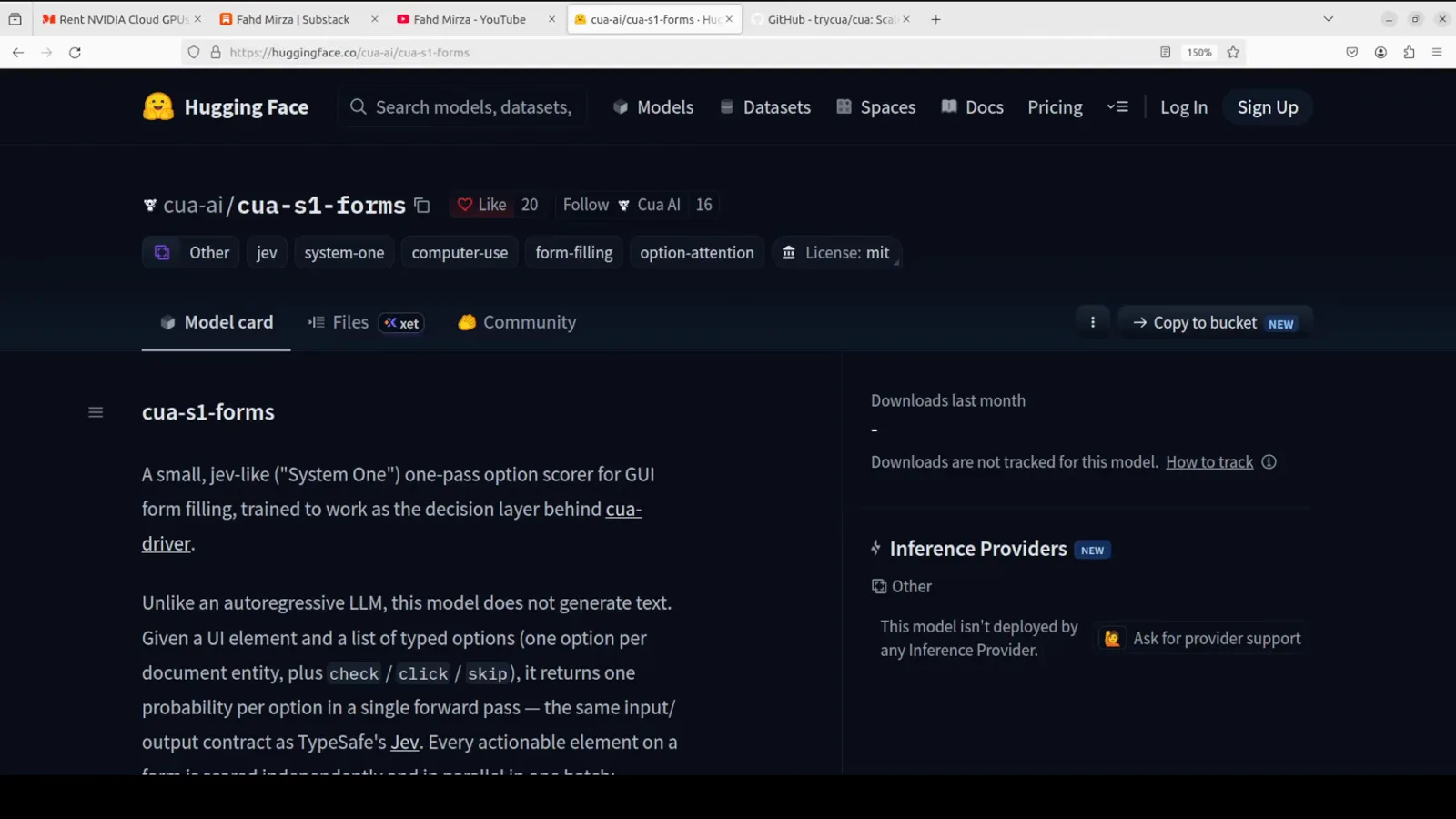
One job, one pass: element plus candidate values becomes one typed action.Watch at 0:15 - 2
Load the checkpoint and read the spec sheet in the config
Installation is plain Python: load_checkpoint("cua-s1-forms", device) from the cloned repo, and the config prints what you are actually running — a tiny byte-level transformer with two layers, 128 width, and four attention heads, trained to read raw bytes instead of using a tokenizer, which is exactly why it is this small and this fast. The base it is trained from is Qwen 2.5 0.5B, but the deployed scorer is the 706K-parameter head doing the deciding.
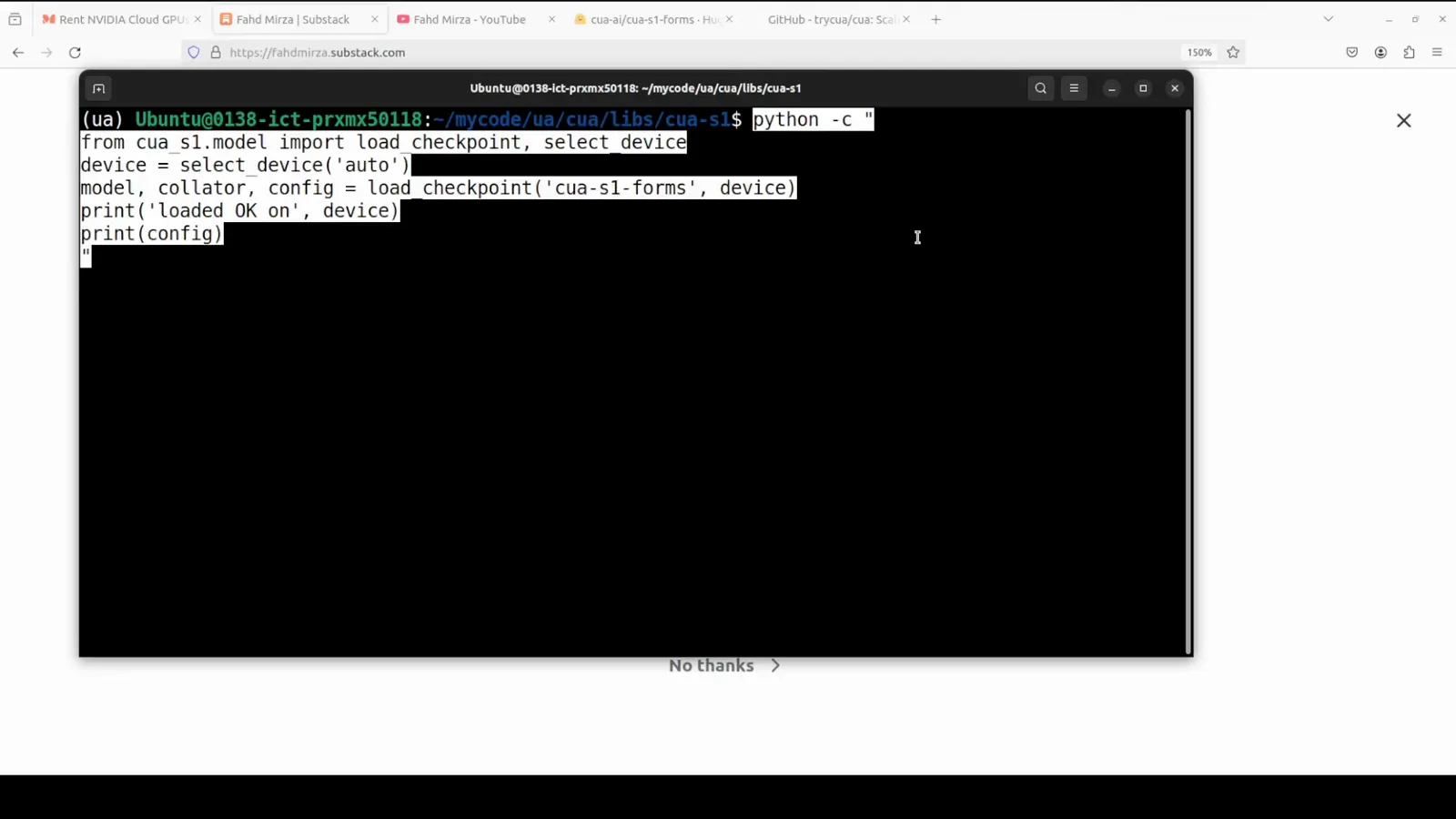
Two layers, 128 wide, four heads, no tokenizer — small by design.Watch at 2:30 - 3
First decision: fill the phone number at 100% confidence
The first test hands the model a form field and the values pulled from a document: a phone number and a date of birth, plus the check, click, and skip options. The output scores every option: 1.000 for fill on the phone number, 0.000 for everything else — the date of birth correctly ignored. That is the whole product: one forward pass, a real decision, and a probability you can threshold on, with no LLM deliberation anywhere in the loop.
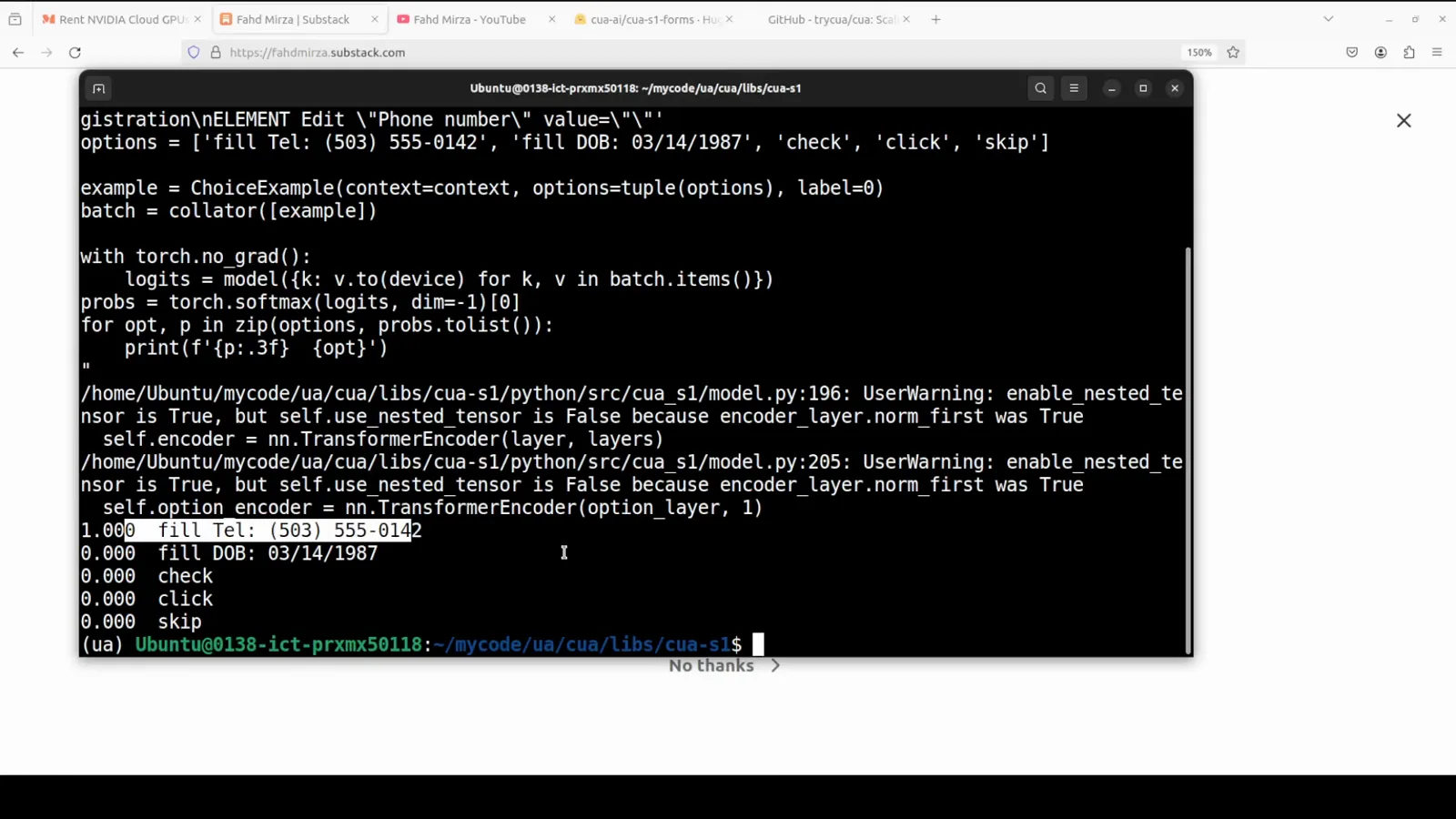
Every option gets a score — the pipeline just reads the winner.Watch at 4:00 - 4
Check the GPU meter: it never left the CPU
Mid-test, nvitop tells the honest hardware story: the RTX 4060 sits at 0% utilization and 9MiB of memory while the model works — CUDA is present, but the 2.8MB scorer simply runs on CPU. This is the quiet advantage of decision models at this scale: no VRAM planning, no GPU queue, and deployment targets as modest as a laptop or a Raspberry-Pi-class box.
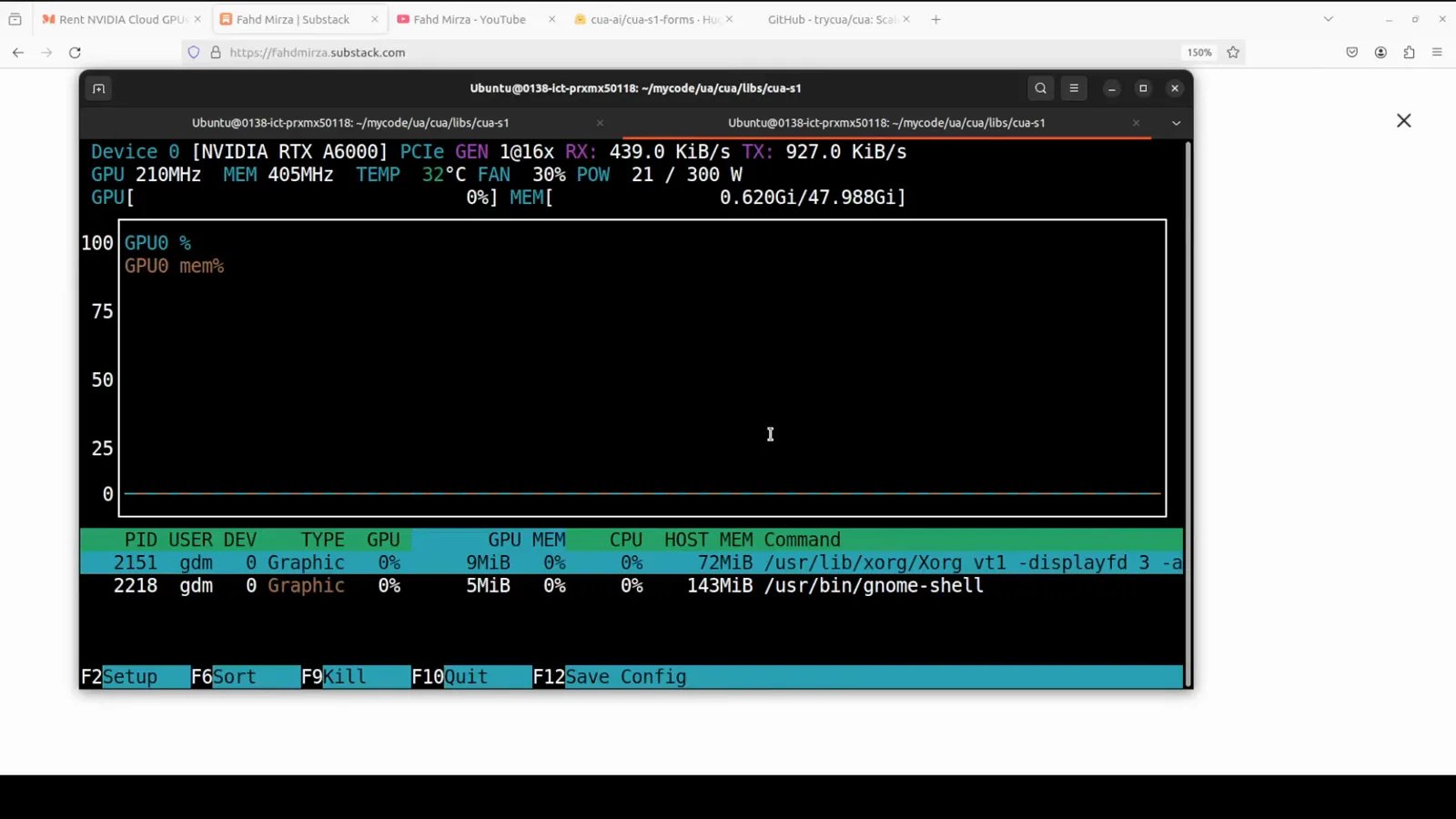
9MiB on a 4060 — the model is somewhere else entirely: the CPU.Watch at 4:18 - 5
The disambiguation test: emergency contact vs regular phone
The second test is the one worth remembering. The form has both a regular phone number and an emergency contact number — intentionally similar values. The model rates the emergency contact field at 1.000 for the emergency number and 0.000 for the lookalike regular phone, because it reads the actual field name and the document context rather than matching similar-looking digit strings. Field-level semantic disambiguation is exactly where a generative guess or a regex pipeline tends to fail.
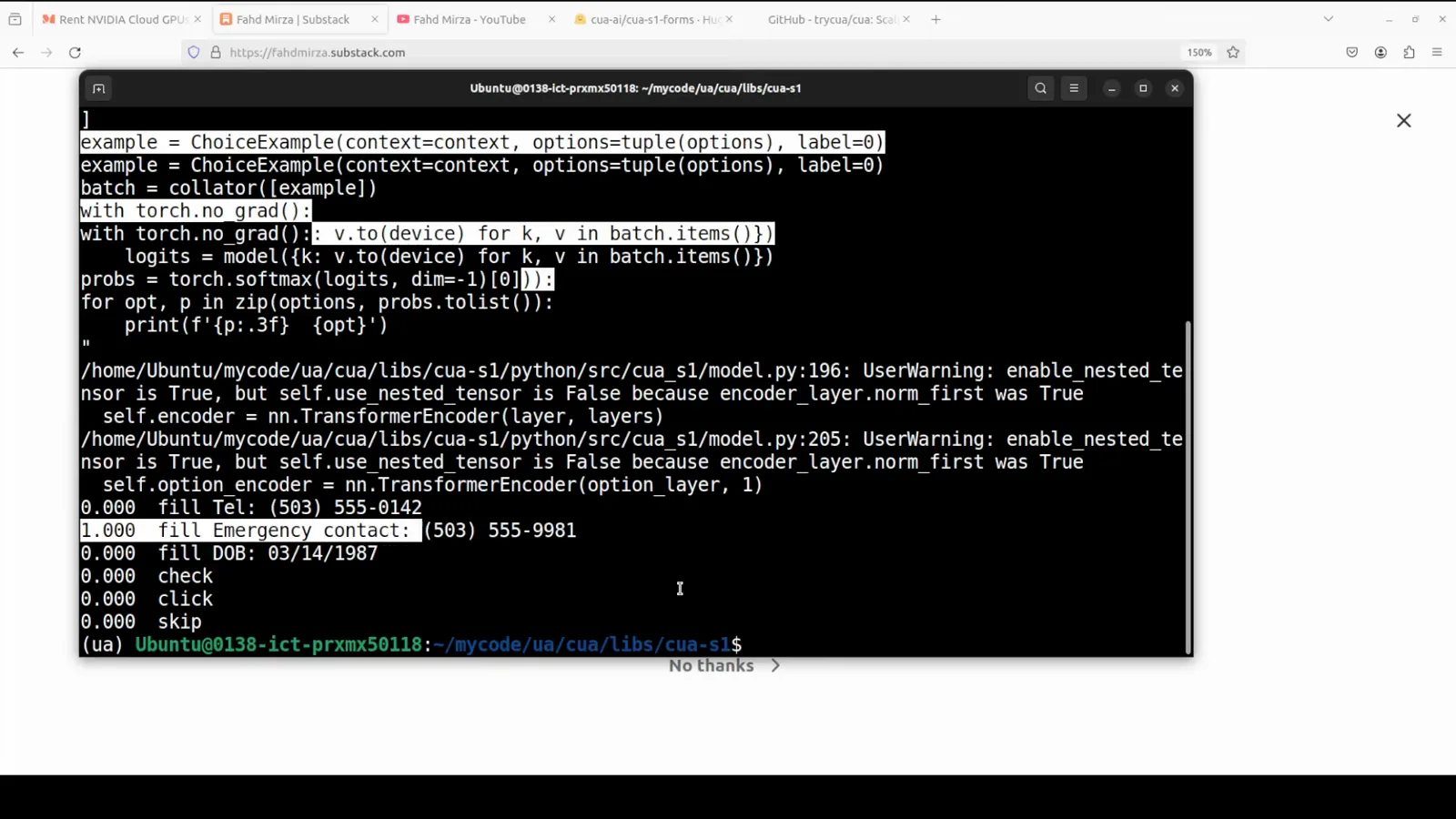
It reads the field name, not the shape of the digits.Watch at 5:18 - 6
Connect it to a real GUI through the CUA driver
The model decides; something still has to touch the screen. CUA is an open-source framework for agents that control real computers, and its driver reads the web accessibility tree in real time. The demo starts the driver, then calls list_windows: the JSON comes back with every window on screen — including the Firefox patient registration form — each with a process ID and window ID your code targets directly.
PID and window ID in, form fields out — no screenshots, no vision model.Watch at 8:15 - 7
Fill the real Firefox form and verify on screen
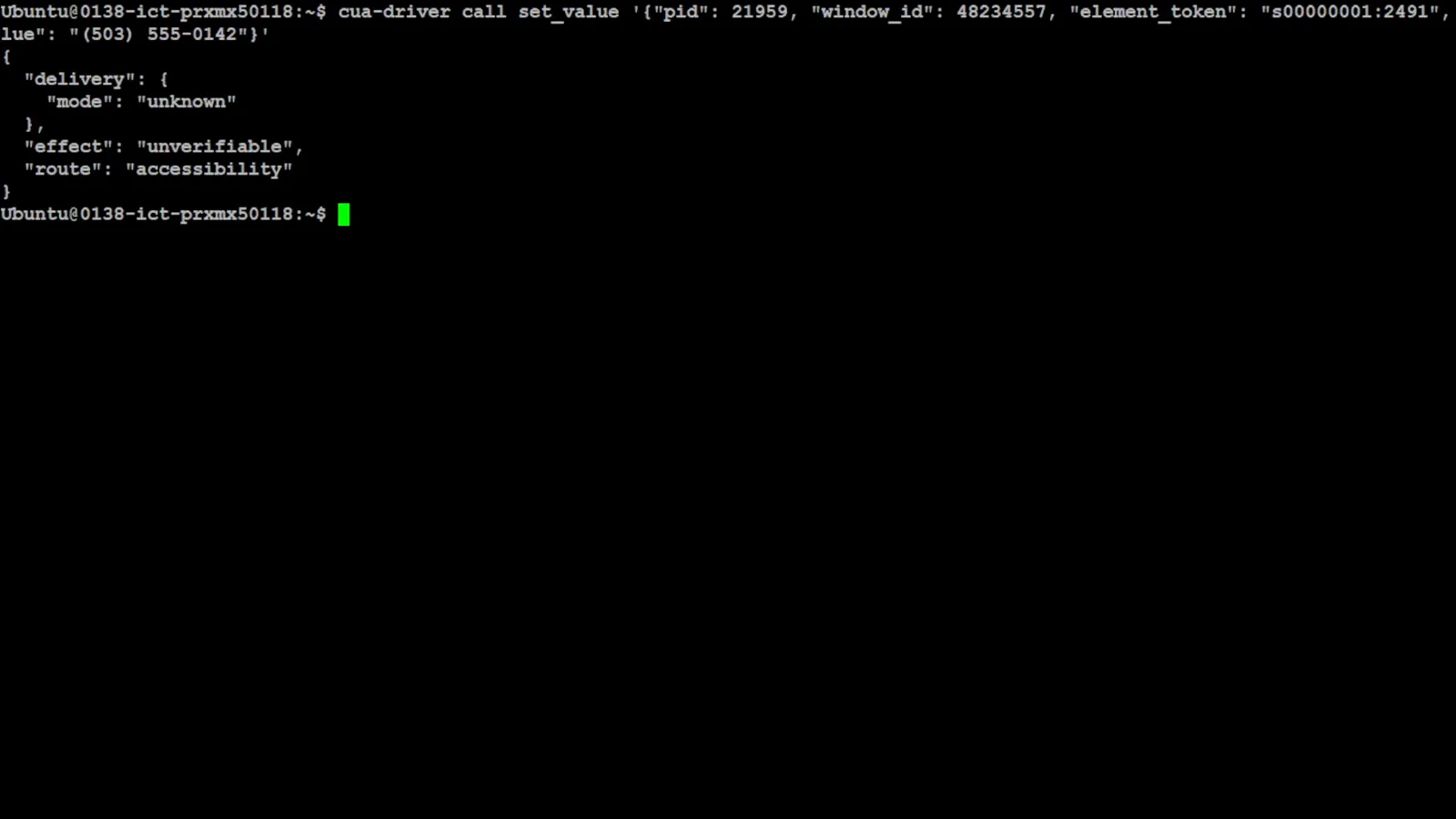
The final call ties it together: set_value with the PID, window ID, and an accessibility element token types the phone number into the live patient registration form, and the response reports what happened and how — delivery status and whether the effect is verifiable. Back in the browser, the mouse pointer sits in the field and the number is there. A 2.8MB scorer chose the value; the accessibility tree did the typing; nobody took a screenshot.
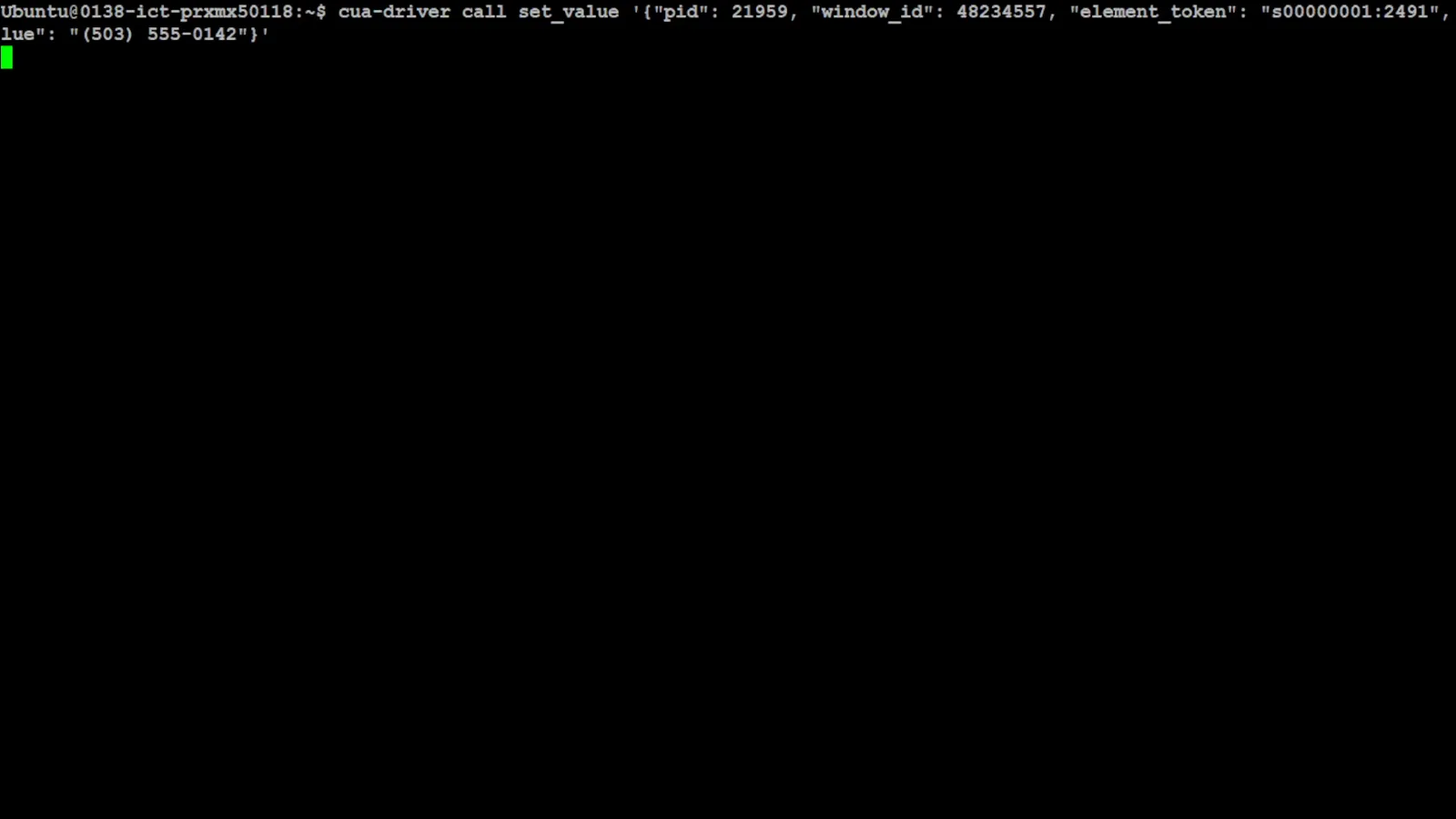
The scorer decides, the driver types — accessibility tree all the way down.Watch at 8:06
Frequently asked questions
What is CUA-S1-Forms, in one sentence?
A 706K-parameter, 2.8MB byte-level "System One" scorer that looks at a form element plus candidate values from your document and returns one action — fill, check, click, or skip — with a probability per option in a single forward pass. It is the decision layer of a form-filling pipeline, in the same category as Jev-style typed decisions, and its card reports 99.7% accuracy on real form-filling decisions versus about 83.6% for the GPT API.
Does it really run on CPU only?
In the video, yes — and the proof is on the meter. The test machine has an RTX 4060 with CUDA available, but nvitop shows 0% GPU utilization and 9MiB of memory while the model works, because a two-layer byte-level transformer at 2.8MB has no reason to touch the GPU. That is the practical difference between a scorer this small and an LLM pipeline: no VRAM planning and hardware as modest as an office desktop.
How is this different from Jev or a computer-use agent?
CUA-S1-Forms is one decision model for one job — form-filling actions — while Jev is a hosted general typed-decision API. Compared with computer-use agents that parse raw screenshots, this stack reads the accessibility tree instead: the CUA driver lists windows by PID and window ID, exposes form fields, and types values directly, which is faster, cheaper, and far more reliable than vision. The computer-use guide on this site covers the OS-level screen-parsing approach; this model shows the same "decide, then act" shape specialized to forms.
Why did it pick the emergency contact number correctly?
Because it reads semantics, not shapes. The test put a regular phone number and an emergency contact number in the same document — nearly identical digit strings — and asked the model to fill the emergency contact field. It scored the emergency number at 1.000 and the regular phone at 0.000, because the byte-level context includes the actual field name. A regex or a value-similarity match would have had a coin-flip; the field name is the disambiguator.
Can I use it with my own forms and documents?
That is the intended shape: extract candidate values from your document with whatever parser you already have, then ask the scorer which value fills which field, and use the CUA driver (or your own UI automation) to act. Because the model is open on Hugging Face, you can also inspect its card, tests, and training notes before trusting it. Keep the same honesty the video shows — threshold on the probability, and route low-confidence fields to review instead of force-filling them.
Who makes it, and is it related to TypeSafe?
CUA-S1-Forms is a third-party open-source project — it appeared on the madewithjev showcase, which tracks the Jev ecosystem, but it is not an official TypeSafe AI product. The "System One" naming signals the category: non-generative, one-pass, probability-backed decisions. The video is an independent walkthrough by Fahd Mirza on Ubuntu, installing from the public Hugging Face repo.
Related guides
Jev Computer Use: OS-Level Screens for Agents
The screenshot-parsing sibling: local UI state for agents when there is no accessibility tree to read.
ReadJev + Claude Code: Voice-Controlled Browser Automation
Typed decisions routing a real browser — the agent-orchestration layer above form-level actions.
ReadJev Resume Screening: Typed Evaluation in Practice
The same shape in a document-heavy workflow: extract, then decide with typed questions and thresholds.
ReadDocument Classification: Split Packets Before You Fill
The upstream step — Noul boundary questions split mixed documents so field extraction has clean input.
ReadMore video walkthroughs
- Jev Classification Quickstart: OpenRouter API, Primitives & Real Probabilities
- Jev Architecture Explained: Why 70ms Decision Models Beat LLMs for Workflow Automation
- Ultra-Fast Browser Agents with Jev: 178ms DOM Loops & Dual Model Orchestration
- Open Jev Models Are Here: Semif, Nimble, Decider, DiffusionGemma & Laya Hands-On
- Jev vs LLM: Will Jev Replace LLMs? Krish Naik's Whiteboard Explainer
- Jev Trader Tutorial: Build a Subsecond AI Trading Bot on Monad
- Jev Model Router: Build a Privacy-Gated LLM Router with Jev & OpenJev
- Jev Tutorial for Beginners: State, Questions & the TypeScript SDK
- Run Jev Locally: Kev, SemIf & Von on Your Own GPU (OpenJev Guide)
- Jev RAG Reranker: Policy-Steered Reranking for Retrieval-Augmented Generation
- When to Use Jev: An Engineer's Audit of Claims, Gates, and Failure Modes
- LangChain + Jev Integration Tutorial: Routing, Guardrails & Evals
- Jev MCP Server: Connect Jev Decisions to Claude Code & Cursor
- Jev vs Luna: Independent Benchmarks Put "Better, Faster, Cheaper" to the Test
- Jev Agent Harness: Where the Decision Gate Sits in Your LLM Loop
- Jev Playground Walkthrough: The Hotdog Lesson, Criteria, and a Four-Console Token Test
- Jev Text Classification API: Zero-Shot CLI & REST with classifier.dev
- Jev API Examples: First Request, curl & All Three Question Types
- Jev Log Triage with Expanso Edge
- Jev Lead Enrichment with Treg: ICP and Signup Scoring
- Use Jev Decision Nodes in Heym for Model Routing
- Laya Tutorial: Open-Source AI Routing With Calibrated Probabilities (Laya vs Jev Setup)
- Train Your Own Jev: Fine-Tune a Jev-Style Decision Model for $5–$17 (What You Can and Cannot Train)
- Jev Tips: 8 Best Practices for Better Decisions (State, Questions, Criteria & Thresholds)
- Jev Context Compaction: Prune AI Agent Memory Without Generative Summaries
- Jev as an LLM Judge: Confidence-Gated Cascades at 0.36% of the Cost
- TypeSafe Computer Use: Local Desktop Automation with Jev, Step by Step
- Jev Resume Screening: Build an AI Resume Evaluator with the Jev JavaScript SDK
- Jev + Claude Code Guide: Voice-Controlled Browser Automation with Typed Decisions
- Jev vs Ollama: Can Local AI Replace Hosted Jev Without Sending Your Data Away?
- Build Your Own Jev: Train a Free Open-Source Zero-Shot Classifier (That Plays Doom)
- NOC/SOC Alert Triage with Jev: Rules First, One Typed Question, a Policy Gate